
Issue:
A user needs to be enrolled in the CMS.
Resolution:
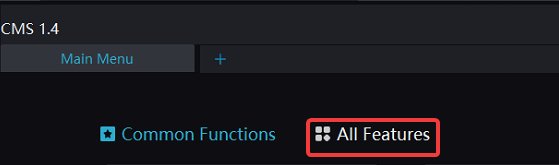
- From the CMS Main Menu click All Features.
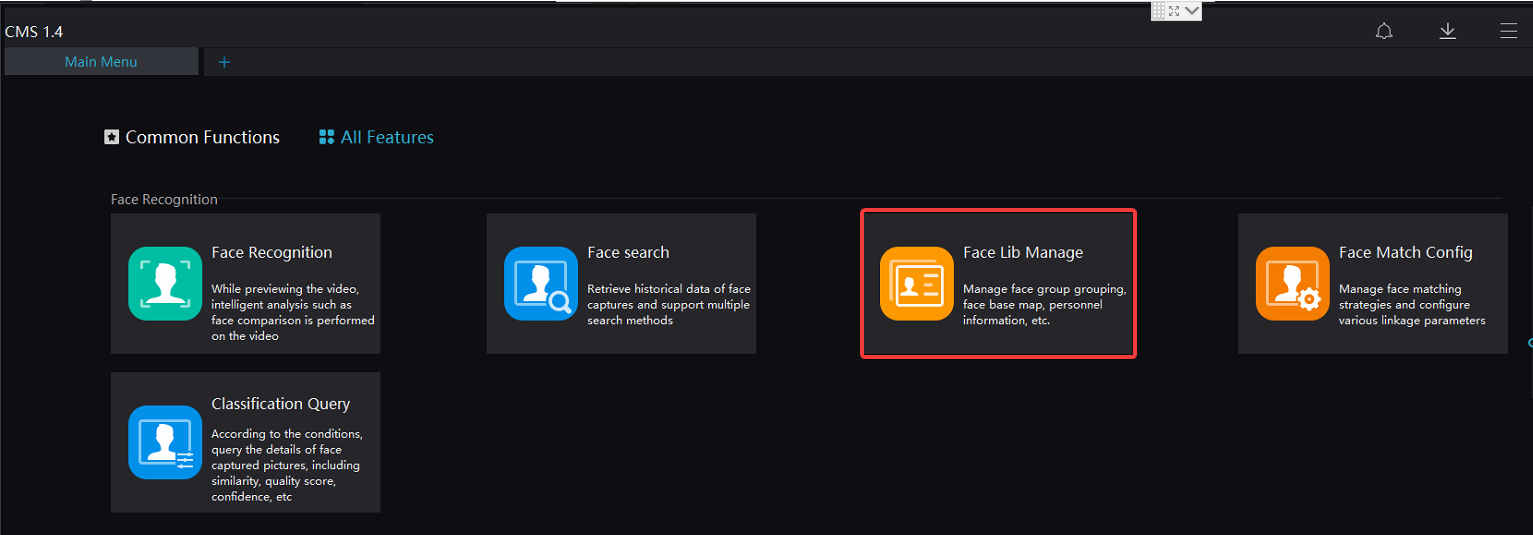
- Scroll down to Face Recognition > Face Lib Manage.
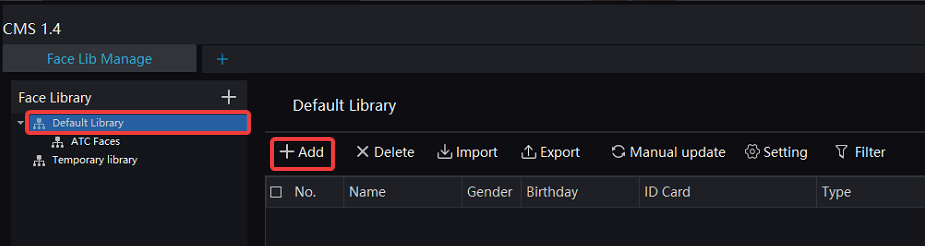
- Click Default Library then click Add.
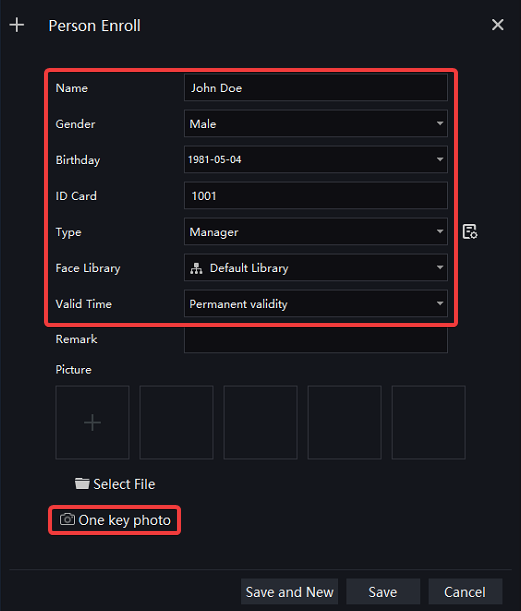
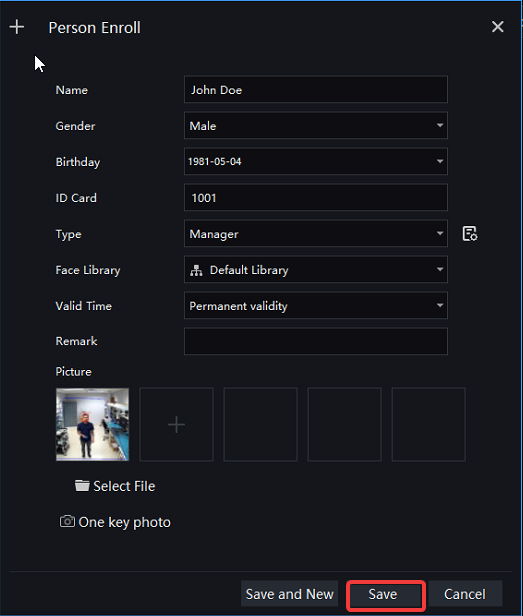
- Provide the below information then click One Key Photo.
- Name
- Gender
- Birthdate
- ID Card (This is a required field. Recommended to start at 1000 and increment from there)
- Type
- Face Library
- Valid time
- Under Camera A, select a camera that has been added to the CMS.
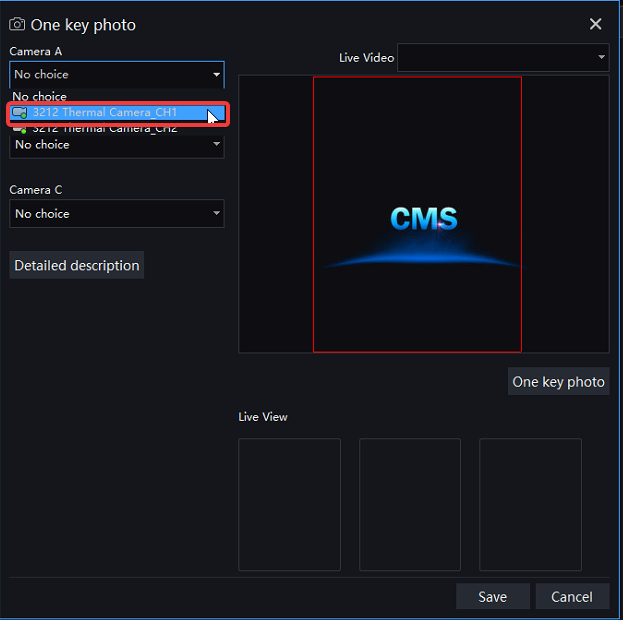
- Have the user stand in front of the camera as close as they can in order to obtain a portrait image then click One Key Photo.

- Click Save.
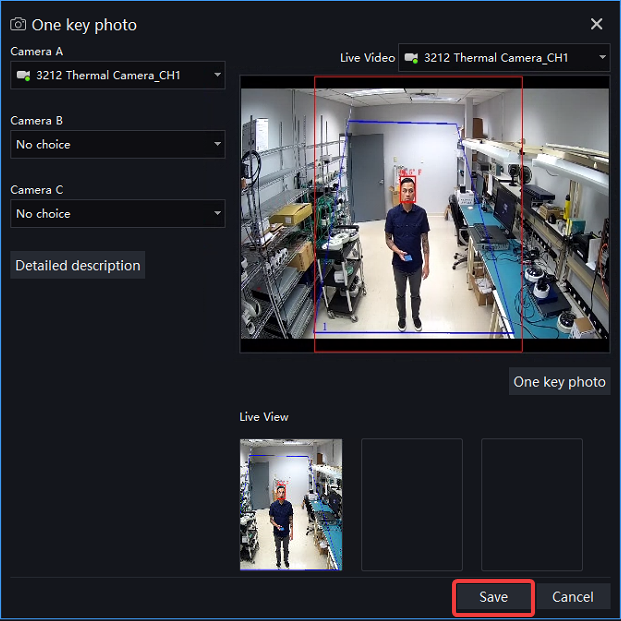
- Click Save.
Comments
0 comments
Please sign in to leave a comment.